
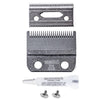
Clipper Blade Care Guide
, by Martin Forshaw, 4 min reading time
, by Martin Forshaw, 4 min reading time
Clipper blades are precision tools. Regular cleaning, oiling and safe storage will help keep them cutting smoothly, reduce wear and extend the time between sharpening or replacement.
A few minutes of care after each use can make a real difference to blade performance.
After clipping, remove loose hair from the blade teeth and blade channel using a small cleaning brush.
Wipe the outside of the blade with a clean, dry cloth or paper towel. This removes hair, moisture and product residue that can affect cutting performance over time.
If the blade has been used on a particularly dirty coat, follow the manufacturer’s cleaning guidance before storing it.
Apply a small amount of suitable clipper blade oil after cleaning.
Focus on:
Along the cutting edge and tips of the teeth
Along the blade rails where the moving cutter slides
Around the blade channel where recommended by the manufacturer
Run the clipper briefly after oiling to distribute the oil across the moving parts, then wipe away any excess.
Too little oil can cause friction, heat build-up and premature wear. Too much oil can attract hair and dirt, so a light application is all that is needed.
If the blade remains fitted to the clipper, replace the blade guard where supplied. This helps protect the teeth from accidental knocks and damage.
For detachable clipper blades, clean and oil them before returning them to a blade case, rack or protective storage box.
If you are not likely to use a blade for some time, store it dry and protected from moisture. Wrapping the blade loosely in an oiled cloth or paper towel can offer additional protection, but make sure it is stored somewhere clean and dry.
Avoid leaving blades in damp, humid or poorly ventilated areas. Moisture can lead to corrosion, which affects performance and may shorten the life of the blade.
Clipper blades can become hot during use, particularly when working through dense coats or clipping for long periods.
Check the blade temperature regularly by carefully touching the flat outer surface of the blade. If it feels too hot to hold comfortably, stop clipping and allow it to cool.
Using blade oil regularly, keeping the coat clean and dry, and rotating between spare blades can all help reduce overheating.
A blade cooling or cleaning spray may also be useful, but it should not replace proper oiling and regular maintenance.
Dropping a clipper or blade can cause damage even when it looks fine at first glance.
A dropped blade may become:
Misaligned
Loose or unstable on the clipper
Damaged around the blade drive or attachment point
Chipped or bent at the teeth
Less effective at cutting, causing dragging or snagging
If a blade begins wobbling, pulling hair, making unusual noises or cutting unevenly after being dropped, stop using it and inspect it carefully.
Broken teeth cannot usually be repaired safely. A damaged blade may sometimes be suitable as a backup for non-sensitive work, but only if it is stable, does not snag and has been assessed as safe to use.
Never use a damaged blade around sensitive areas such as the face, ears, paws, sanitary areas or thin skin.
A blade may need sharpening, servicing or replacement when it:
Pulls or drags hair
Leaves an uneven finish
Becomes hot unusually quickly
Makes excessive noise or vibration
Has visible rust, chips or damaged teeth
Wobbles on the clipper
No longer fits securely
Blade performance can also be affected by the clipper itself, including the blade drive, hinge, tension system or motor. Testing the blade on another compatible clipper can sometimes help identify where the fault lies.
If you are experiencing poor cutting performance, send the blade to Diamond Edge with a short note explaining the issue, the clipper model you use and whether the blade has been dropped or damaged.
We can inspect the blade and advise whether servicing, sharpening, repair or replacement is the most suitable option.
[Shop Clipper Blade Care Products]
[Shop Clipper Blades]
[View Clipper Repair and Service Information]